
Guide: How to Book a Residence Permit Renewal Appointment in Slovakia Online

To renew your residence permit in Slovakia, you need to book an appointment in advance at the Foreign Police department (OCP — Oddelenie cudzineckej polície). Booking is now only available online, through the electronic services portal of the Ministry of Interior of the Slovak Republic — portal.minv.sk. The entire booking process takes just a few minutes and is done directly in your browser.

What you need to book an appointment:
- A valid residence permit card (temporary/permanent) with a chip.
- An activated BOK code (bezpečnostný osobný kód — personal security code). More details on how to obtain it — in our guide.
- Registration and access to the Slovensko.sk portal. How to register — in our guide.
- A computer with a USB card reader or a smartphone with NFC support and the eIDENTITA app installed.
- Installed software for working with eID. More details on which programs are needed and how to set them up — in our guide on obtaining an electronic signature.
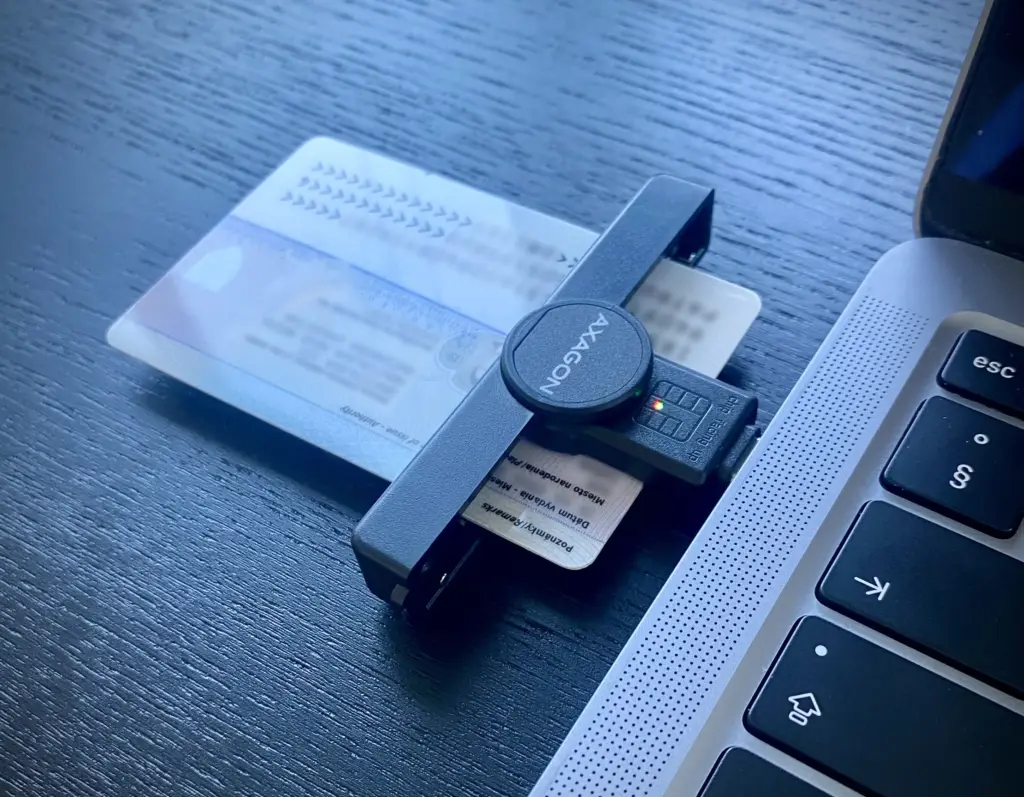
Step 1: Log in to the portal
Go to portal.minv.sk.
- At the top of the page, click the Prihlásiť sa button.
- The system will redirect you to the Slovensko.sk portal for authentication.
- Log in using your residence permit card and BOK code, just as you would when accessing Slovensko.sk.
If you are not yet familiar with the eID login process — it is described in detail in our guide on registering on Slovensko.sk.
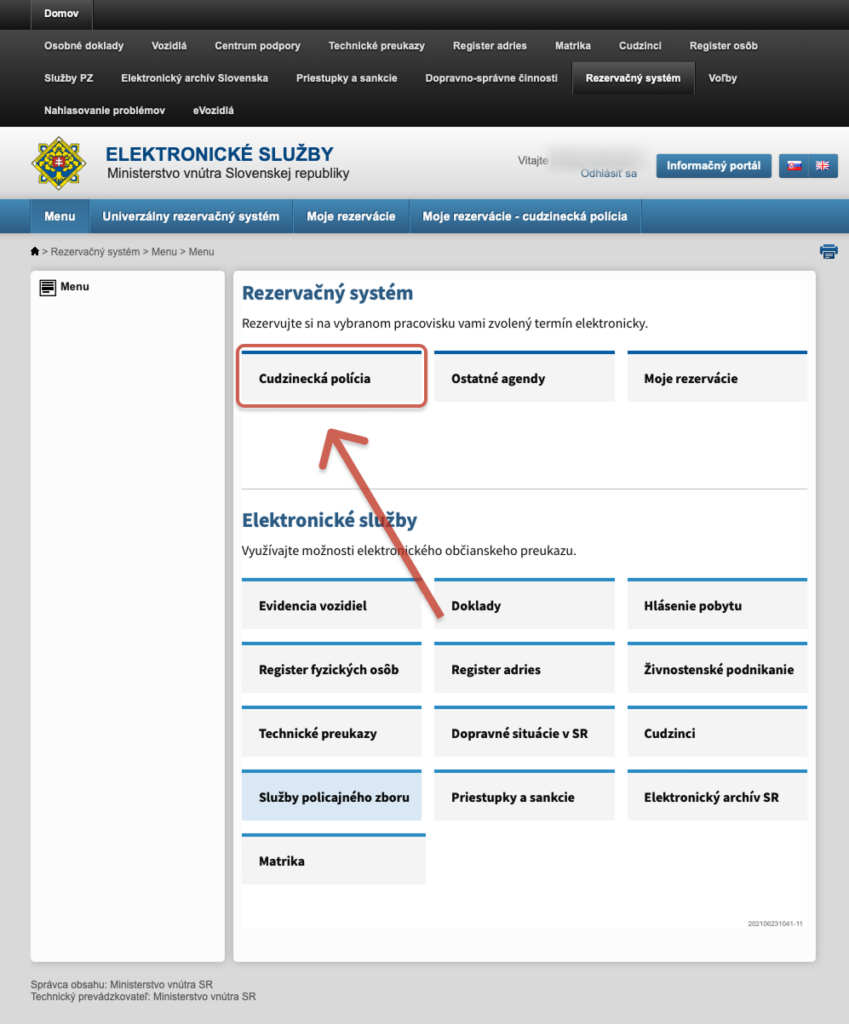
Step 2: Navigate to the booking system
After logging in successfully, you will be taken to the main page of the portal.
- Go to the Rezervačný systém section.
- Select Cudzinecká polícia.
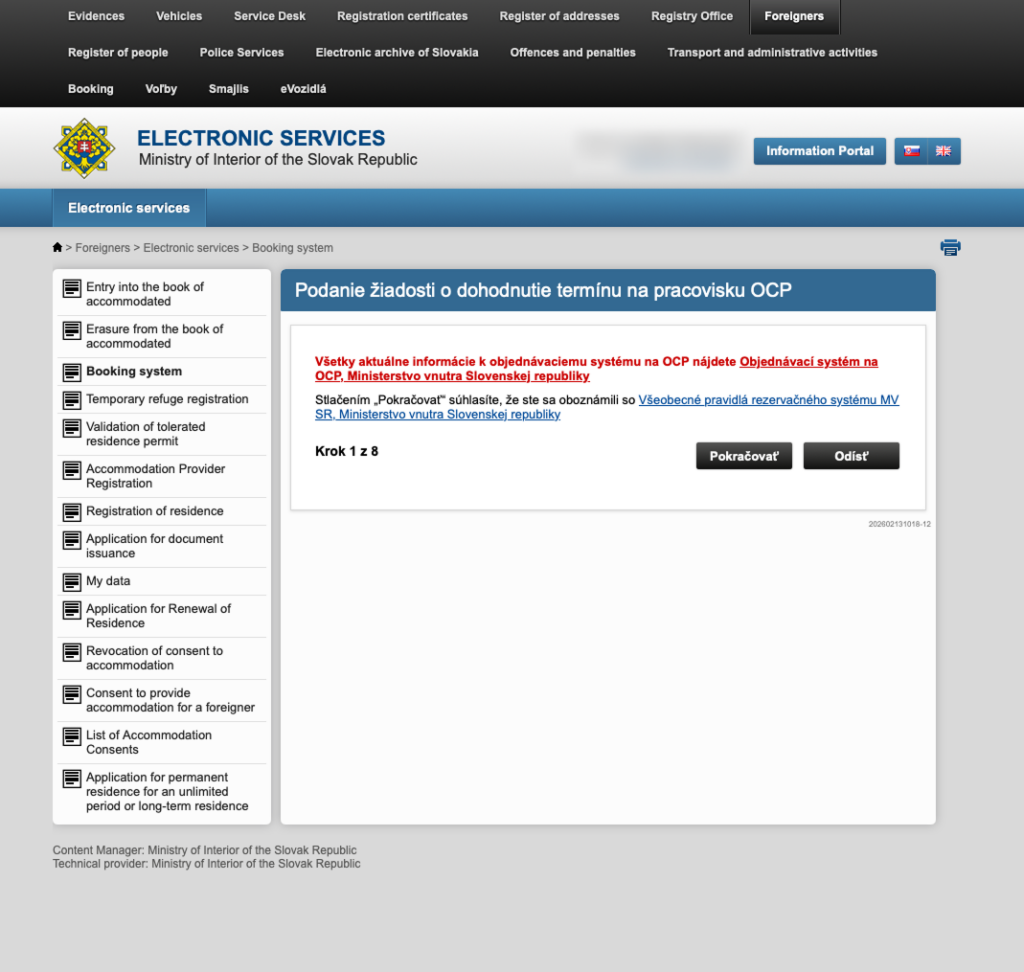
Step 3: Starting the appointment process
The page «Podanie žiadosti o dohodnutie termínu na pracovisku OCP» will open — a request to schedule an appointment at the Foreign Police office.
- This is step 1 of 8 in the system. Review the information on the screen.
- Click Pokračovať to proceed to the service selection.
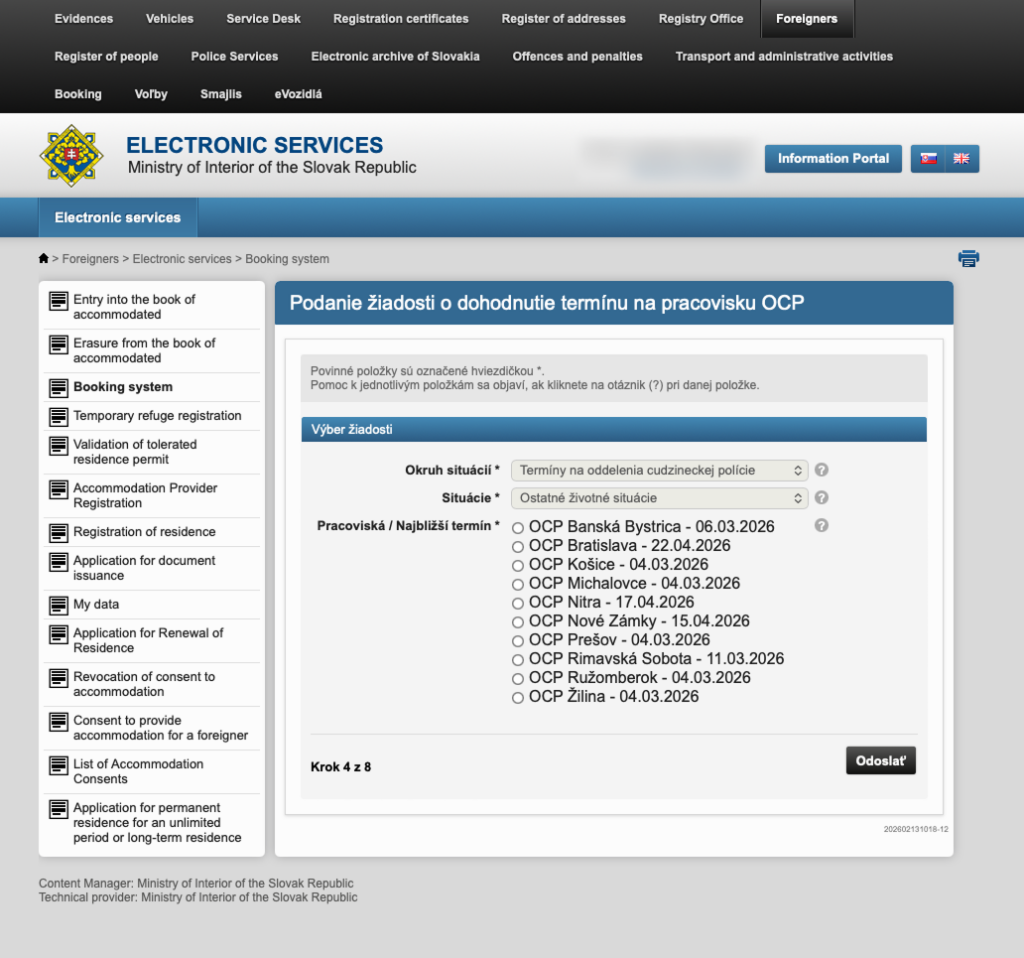
Step 4: Selecting the service and office
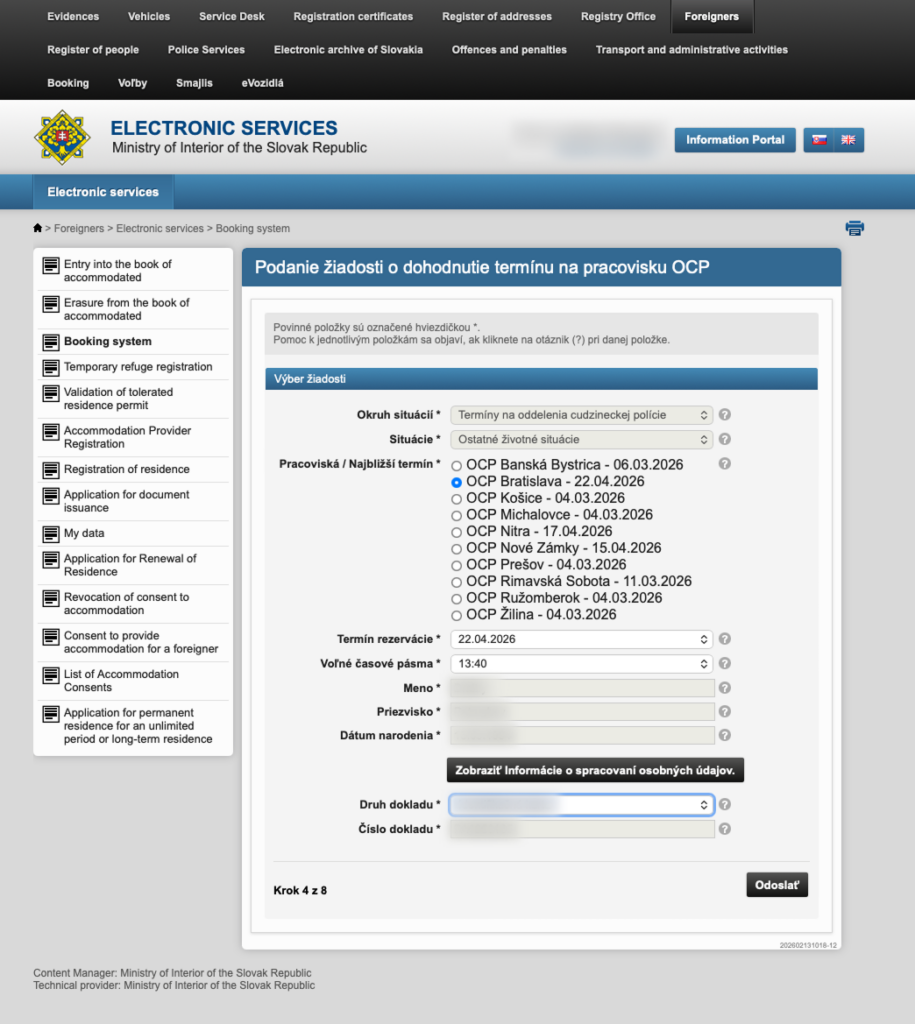
In this step, you need to select the service you require and the office location.
In the Okruh situácií field, select «Termíny na oddelenia cudzineckej polície».
In the Situácie field, select Ostatné životné situácie. At the time of writing this guide, residence permit renewal falls under this category.
In the Pracoviská / Najbližší termín list, select the office you need. The nearest available date is shown next to each office.
Choose the office that corresponds to your registered place of residence.
Step 5: Selecting the date, time, and verifying your details
After selecting the office, additional fields will appear:
- Termín rezervácie — select a suitable date from the available options.
- Voľné časové pásma — select a convenient time slot.
- Meno, Priezvisko, Dátum narodenia — your details will be filled in automatically from the system. Check that they are correct.
- Druh dokladu and Číslo dokladu — the type and number of your document. Adjust if necessary.
Click Odoslať to proceed to the next step.
Step 6: Confirmation and appointment creation
On the «Vytvorenie rezervácie» screen, check your contact details — SMS kontakt and Email kontakt. This is important: you will receive an SMS with a PIN code to the phone number provided, which you will need when visiting the police.
Click Vytvoriť rezerváciu. If everything goes through successfully, you will see the message «Rezervácia úspešne vytvorená!» with your appointment details and the office address. The PIN code will arrive via SMS — save it.
What to do on the day of your visit:
Upon arriving at the Foreign Police office, go to the self-service terminal (dotykový terminál). Enter the PIN code you received — the system will print a ticket with your queue number. Wait until your number is called.
Tips and important notes:
- You can book an appointment for residence permit renewal no earlier than 90 days before your card expires. Do not delay — available slots fill up quickly, especially in Bratislava.
- Save the PIN code from the SMS — without it, you will not be able to get a ticket at the office.
- If you need to cancel or reschedule your appointment, you can do so in the Moje rezervácie section on the portal.
- Make sure your BOK code is activated and your registration on Slovensko.sk is complete before starting the appointment process.
- We recommend checking out our full list of guides, where we have answered the most common questions from foreigners in Slovakia in detail.