
The Financial Administration (Finančná správa) portal is the official national portal through which you can submit declarations, communicate with the tax office, and pay taxes.
Who should register on the portal:
The Financial Administration combines several authorities, including the tax and customs services.
Who will benefit from registering:
- Sole traders (SZČO).
- Business owners or their authorised staff.
- Individuals submitting tax returns and other mandatory reports electronically.
Why register:
- Submit tax declarations and reports electronically with ease, without visiting the tax office.
- Request certificates of tax residency, personal tax account status, income statements for banks or police, etc.
- Pay taxes and fees online quickly and securely.
- Monitor timely submission of reports by your accountant.
Required documents and preparation for registration:
Before starting registration on the portal, it is important to prepare the required documents and equipment to ensure a quick and error-free process. The main requirements:
- Electronic identity card with a chip (residence or permanent residence card).
- Personal security code BOK. How to obtain it is explained in our guide.
- You must be registered on the Slovensko.sk portal. Details on how to register are provided in our guide.
- A computer with a USB reader for electronic cards (after registration, you can use a smartphone with NFC support).
- Installed and updated eID Klient application that supports electronic card functionality.
Step 1: Registration on the portal
- Launch the eID Klient application on your computer.
- Go to the official Finančná správa website.
- Click Registration — Registrácia prostredníctvom slovensko.sk — Prihlásiť sa pomocou slovenského dokladu.
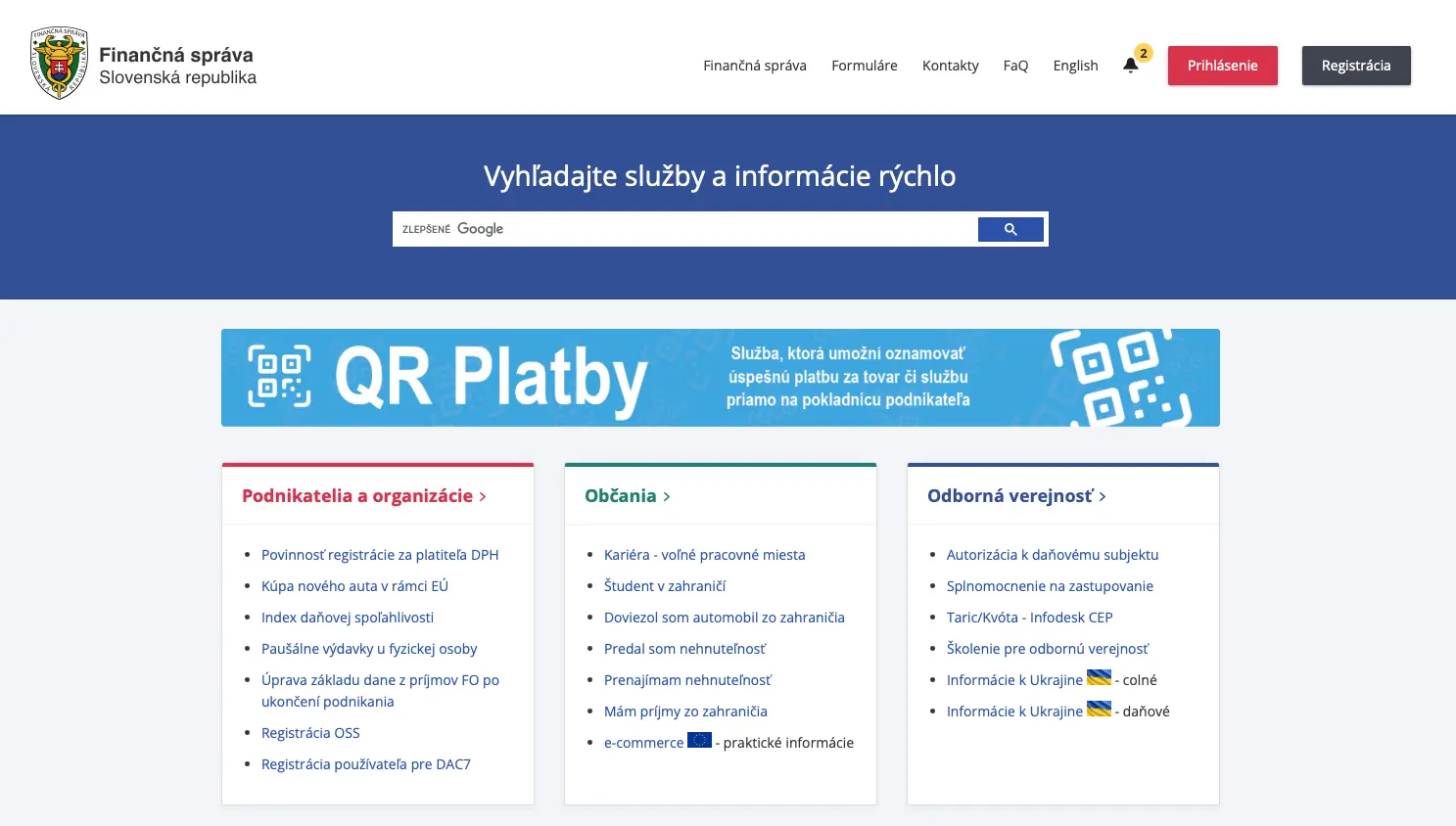
If you followed our guide for registration on Slovensko.sk, the next steps will be familiar.
During authorisation, you will be asked on whose behalf you are logging in: individual, entrepreneur, or company. Choose individual.
Step 2: Personal details
- After successful authorisation via Slovensko.sk, you will be redirected to a page where you need to complete your personal details.
- The form will ask for your address: sole traders should provide their permanent residence address, and companies their registered office address.
- At this stage, you can request authorisation for personal representation before customs and tax authorities. We recommend not doing this during registration as it can sometimes cause registration errors.
- The "Osobný identifikačný kód" field allows you to grant other users access to your account (e.g., your accountant) and can be filled in with any combination of characters.
- After filling in the details, wait for confirmation sent to the provided email address.
Step 3: Completing the registration
- Confirmation of successful registration will be an email with the subject Potvrdenie dokončenia registrácie prostredníctvom slovensko.sk.
- If you selected during registration that you want to appear in person before the tax and customs authorities, you will need to wait for those confirmations as well before your registration is complete.
Step 4: Authorisation
- To access company or sole trader data, you need to request authorisation by confirming your identity with an electronic signature. We explain in detail how to work with the electronic signature in our guide.
- To obtain authorisation and fully use the portal, select Žiadosť o autorizáciu — Žiadosť o autorizáciu na daňový subjekt.
- A form will open that you need to fill in.
- To gain access to your own sole trader (SZČO) business, select Fyzická osoba — Osobné konanie.
- To gain access to a company where you are the konateľ (statutory representative), select Právnická osoba — Štatutár.
- At the end, sign the form with your electronic signature, click Podať, and wait for confirmation sent to the provided email address.
Main sections and features of the portal:
- História komunikácie — this section allows you to view all incoming and outgoing messages. It's convenient to check which notifications have already been received and what questions you or your representative have sent.
- Informácie o subjekte — here you will find basic information about the taxpayer: registration data, tax identification number, address, and other official details.
- Osobný účet — this section shows all movements on your tax account, enabling you to monitor payments and debts.
For the filing itself, see our step-by-step guide to filing a tax return online.